20 AI Tools Every Content Creator Should Know in 2026 and Beyond
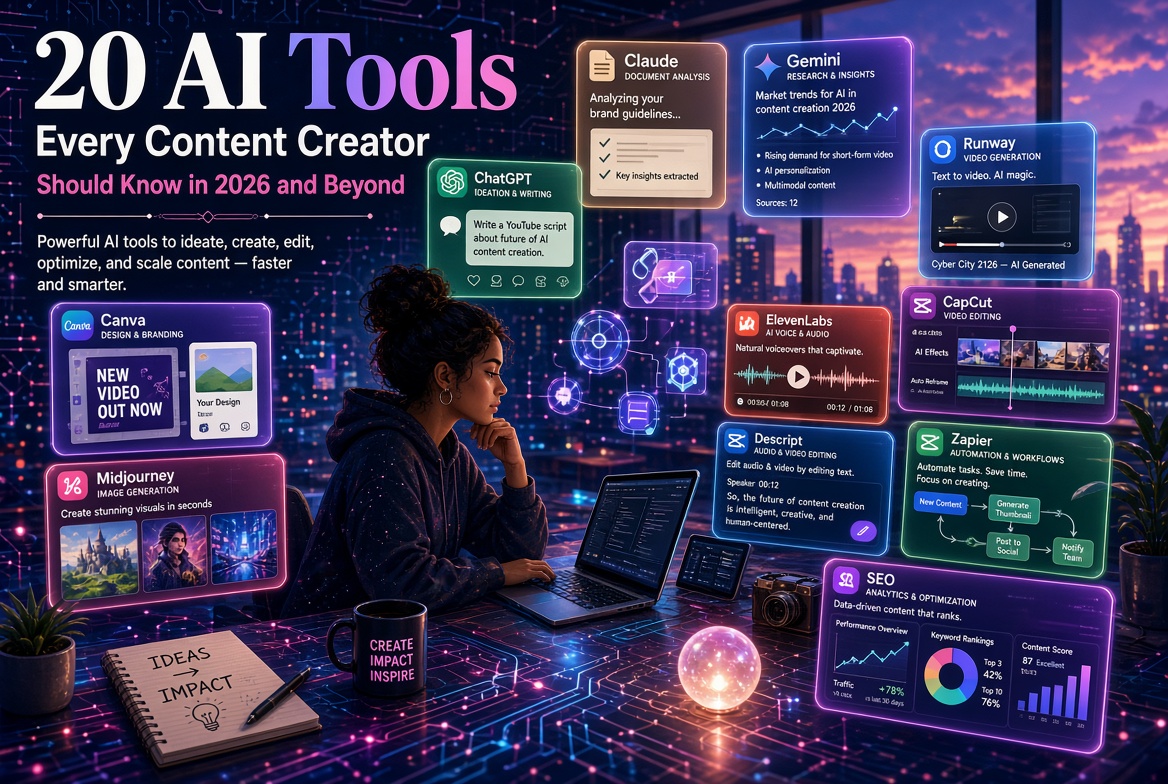
AI is transforming content creation by helping creators research, write, design, produce videos and audio, optimize content, and automate repetitive tasks. This article explores 20 AI tools every content creator should know in 2026 and beyond, including ChatGPT, Claude, Gemini, Perplexity, NotebookLM, Canva, Midjourney, Runway, CapCut, ElevenLabs, Grammarly, Descript, Zapier, Make, Semrush, and HubSpot. The key message is that creators do not need to use every AI tool. The real advantage comes from selecting the right tools and combining them with human creativity, expertise, originality, and judgment. With an effective AI workflow, one idea can be transformed into articles, videos, podcasts, social-media posts, newsletters, graphics, and digital products. AI should not replace the creator—it should amplify the creator.
Content creation has changed dramatically.
A few years ago, creating a professional blog post, YouTube video, podcast, social media campaign, presentation, or marketing graphic could require several specialized skills and many hours of work.
Today, artificial intelligence can assist with almost every stage of the content-creation process.
AI can help you research an idea, develop an outline, write a first draft, create images, generate video, edit audio, design graphics, optimize content for search engines, repurpose long-form material, and distribute content across multiple platforms.
But there is an important warning:
Having access to hundreds of AI tools does not automatically make you a better content creator.
The real advantage comes from knowing which tools to use, when to use them, and how to combine them with your own expertise, creativity, experience, and judgment.
This article introduces 20 AI tools every content creator should know in 2026 and beyond, together with practical ways to use them.
Why Content Creators Need AI
Content creators face a common challenge:
There is never enough time to create everything they want to create.
A creator may need to:
• Research topics
• Write articles
• Create social media posts
• Design graphics
• Record videos
• Edit videos
• Produce podcasts
• Create thumbnails
• Write emails
• Optimize content for search
• Respond to audiences
• Analyze performance
• Repurpose old content
AI can reduce the time required for many of these activities.
Instead of thinking:
"AI will create my content."
Think:
"AI will help me create better content faster."
That distinction is important.
Your knowledge, experience, personality, storytelling ability, opinions, and understanding of your audience remain valuable.
The 20 AI Tools
1. ChatGPT — Your General-Purpose Content Assistant
ChatGPT is one of the most versatile AI tools available to content creators.
It can assist with almost every stage of content production.
You can use it to:
• Brainstorm content ideas
• Develop article outlines
• Draft blog posts
• Rewrite paragraphs
• Create social media posts
• Generate video scripts
• Develop podcast questions
• Create headlines
• Write email newsletters
• Summarize research
• Repurpose existing content
• Analyze audience feedback
• Develop content calendars
Example
Suppose you have written a 2,500-word article.
You can use AI to transform it into:
• 10 social media posts
• 5 LinkedIn posts
• 3 short-video scripts
• 1 email newsletter
• 10 possible headlines
• 5 discussion questions
• 1 short summary
One piece of content can therefore become an entire content campaign.
The key skill
Don't simply ask:
"Write a blog post about AI."
Give the AI context.
Tell it:
• Who the audience is
• What you want to achieve
• The tone
• The length
• The structure
• Important points
• Examples
• Things to avoid
The better your instructions, the more useful the output is likely to be.
2. Claude — Long-Form Writing and Analysis
Claude is another powerful AI assistant that can be useful for writers and content professionals.
It can assist with:
• Long documents
• Article development
• Editing
• Brainstorming
• Research organization
• Content analysis
• Summarization
• Rewriting
It can be particularly useful when working with substantial amounts of text.
A practical workflow
You might use one AI assistant to brainstorm ideas and another to critique the structure.
For example:
Idea → Outline → Draft → Critique → Revision → Final edit
The important point is not which AI "wins."
The important point is creating a workflow that produces better content.
3. Google Gemini — Content, Research and Google Ecosystem
Google Gemini can be useful for creators who already work extensively within Google's ecosystem.
Depending on the features available in your region and account, AI can assist with:
• Brainstorming
• Writing
• Summarization
• Research
• Image-related tasks
• Document work
• Productivity
• Content planning
For creators who use Google Workspace extensively, integration with familiar productivity tools can be particularly useful.
Example
A creator planning a webinar could use AI to help develop:
Research → Outline → Presentation → Promotional content → Follow-up email
This turns AI from a simple chatbot into part of a broader content workflow.
4. Perplexity — AI-Assisted Research
Perplexity can be useful when you need to research a topic before creating content.
Content creators frequently need answers to questions such as:
• What are the latest developments in my industry?
• What statistics are available?
• What are experts saying?
• What sources discuss this topic?
• What are the major arguments?
AI-assisted search can speed up the initial research process.
But never stop at the AI answer
Research is not simply about generating a response.
When accuracy matters:
Find the source → Open the source → Read the source → Verify the claim → Cite appropriately.
This is particularly important for:
• Statistics
• Medical information
• Financial information
• Legal information
• Academic content
• Historical claims
• Current events
AI should accelerate research—not replace source verification.
5. NotebookLM — Turn Your Sources into Content
NotebookLM is particularly interesting for researchers, educators, authors, and knowledge-based content creators.
You can provide sources such as documents and other supported materials and use the system to help you understand and work with them.
Content creators can use it to:
• Summarize documents
• Identify themes
• Compare sources
• Generate research questions
• Prepare briefing materials
• Create study materials
• Develop content ideas
• Explore source collections
One especially useful feature is the ability to generate Audio Overviews, which can turn source material into an audio discussion format.
Example
Suppose you have:
• 10 research papers
• 3 reports
• 2 books
• Several web sources
You can organize the material and use AI to help identify:
Common themes → Differences → Important findings → Content ideas
This can be extremely useful for knowledge-based creators.
6. Canva — AI-Assisted Design
Canva has become one of the most accessible design platforms for non-designers.
Its AI-assisted features can help creators produce:
• Social media graphics
• Presentations
• Posters
• Infographics
• Thumbnails
• Marketing materials
• Documents
• Videos
• Branded content
Why creators should learn it
You don't need to become a professional graphic designer to create useful visual content.
However, AI-generated design still needs human judgment.
Pay attention to:
• Typography
• Branding
• Readability
• Visual hierarchy
• Consistency
• Mobile viewing
A beautiful design that nobody can read is not effective content.
7. Midjourney — AI Image Creation
Midjourney is widely associated with AI-generated visual content.
It can help creators explore visual concepts for:
• Blog illustrations
• Marketing campaigns
• Concept art
• Storytelling
• Creative projects
• Social media
• Book-related visuals
• Brand concepts
Example
A writer creating a science-fiction story could explore:
• Characters
• Environments
• Futuristic cities
• Spaceships
• Story scenes
A business creator might use generated imagery as inspiration for campaign concepts.
The creator's role
Don't simply generate random images.
Develop a visual identity.
Think about:
• Style
• Composition
• Audience
• Brand
• Message
• Consistency
8. Adobe Firefly — AI for Creative Workflows
Adobe Firefly is designed to bring generative AI into creative workflows.
It can be useful for creators working with images and design.
Potential applications include:
• Image generation
• Creative variations
• Generative editing
• Design experimentation
• Marketing visuals
For creators already using Adobe's broader creative ecosystem, AI-assisted features can become part of an established production workflow.
Best use
Use generative AI to explore possibilities quickly, then refine the result using your creative judgment.
9. Runway — AI Video Creation
Runway is aimed at AI-assisted video creation and creative production.
Video creators can explore AI for:
• Generating video concepts
• Creating visual sequences
• Editing
• Effects
• Storytelling
• Creative experimentation
Example
Imagine you are producing a short educational video.
You could combine:
Script → AI-generated visuals → Voice → Editing → Captions → Final video
AI can reduce the amount of manual work involved in creating certain visual elements.
But storytelling remains the responsibility of the creator.
10. CapCut — AI-Assisted Video Editing
CapCut is particularly popular among social-media and short-form video creators.
It can help with activities such as:
• Video editing
• Captions
• Transitions
• Effects
• Short-form content
• Social-media formatting
Why it matters
Short-form video requires volume.
Creators may need to publish frequently across:
• TikTok
• Instagram
• YouTube
• Facebook
• Other platforms
Efficient editing can make a significant difference.
A long video can also be transformed into several shorter clips.
11. ElevenLabs — AI Voice and Audio
ElevenLabs is known for AI-generated voice and audio technology.
This can be useful for:
• Narration
• Audiobook production
• Video voiceovers
• Educational content
• Demonstrations
• Audio content
• Character voices
Example
A creator has written a 20-page educational guide.
The content can potentially be adapted into an audio experience.
This creates another way for audiences to consume the same knowledge.
Always pay attention to applicable rights, permissions, voice-consent requirements, and platform terms when using synthetic voices.
12. Suno — AI-Assisted Music Creation
Suno allows creators to experiment with AI-generated music.
Potential applications include:
• Background music
• Creative projects
• Video content
• Demonstrations
• Song concepts
• Musical experimentation
For content creators, music can add another dimension to storytelling.
However, always check the current licensing and commercial-use terms before using generated music in monetized content.
13. Grammarly — AI-Assisted Editing
Grammarly can help writers improve the clarity and presentation of their work.
It can assist with:
• Grammar
• Spelling
• Clarity
• Tone
• Conciseness
• Professional communication
This is particularly useful for:
• Bloggers
• Authors
• Freelancers
• Students
• Business owners
• Newsletter creators
Remember
Good editing is more than correcting grammar.
A strong editor asks:
Is this clear?
Is this useful?
Is this persuasive?
Is this appropriate for the audience?
AI can help with these questions, but human judgment remains important.
14. Gamma — AI-Assisted Presentations
Gamma can help creators develop presentations and visually structured documents.
This can be useful for:
• Training presentations
• Business proposals
• Educational materials
• Pitch decks
• Workshops
• Webinars
• Reports
A useful workflow
Start with your knowledge.
Then:
Outline → AI-assisted presentation → Human editing → Visual refinement → Delivery
Don't let AI determine your entire presentation.
Your expertise should determine the message.
AI should help with the structure and production.
15. Descript — AI-Assisted Audio and Video Editing
Descript takes an interesting approach to editing by working heavily with transcripts.
This can be useful for:
• Podcasts
• Interviews
• YouTube videos
• Educational videos
• Webinars
• Recorded presentations
Instead of treating video purely as a timeline, creators can work with the transcript and make changes to the media through text-based editing workflows.
Example
Record a one-hour interview.
Then use the transcript to identify:
• Strong quotes
• Important sections
• Short clips
• Key themes
• Potential articles
One interview can become an entire content package.
16. Otter.ai — Transcription and Meeting Content
Otter.ai can help convert spoken conversations into text and useful summaries.
This can be valuable for:
• Interviews
• Meetings
• Research
• Podcasts
• Lectures
• Webinars
• Brainstorming sessions
Content repurposing opportunity
Imagine interviewing an expert for 45 minutes.
Instead of allowing the conversation to disappear after the interview, you can turn it into:
Transcript
↓
Article
↓
Quotes
↓
Social posts
↓
Video clips
↓
Newsletter
This is one of the most powerful concepts in modern content creation:
Create once. Repurpose many times.
17. Zapier — Connect Your Content Workflow
Zapier is useful for connecting different applications and automating workflows.
For example:
New blog post
↓
Create social-media draft
↓
Add content to publishing calendar
↓
Send newsletter notification
↓
Update content database
The exact capabilities depend on the applications and integrations you use.
Why automation matters
Content creators don't just spend time creating.
They also spend time moving information between platforms.
Automation can reduce that administrative workload.
18. Make — Visual Workflow Automation
Make is another platform that can connect applications and create automated workflows.
It can be useful when your content operation involves multiple steps and systems.
For example:
Content idea
→ Database
→ AI-assisted outline
→ Draft
→ Human review
→ Publishing queue
→ Social-media distribution
→ Analytics
The goal isn't to remove the creator.
It is to reduce repetitive operational work around the creator.
19. Semrush — AI-Assisted SEO and Content Strategy
Semrush can help creators understand search demand and develop content strategies.
SEO remains important because creating excellent content is only part of the challenge.
People also need to find it.
Content creators can use SEO tools to research:
• Keywords
• Search trends
• Competitors
• Content opportunities
• Website performance
• Search visibility
The important lesson
Don't write an article simply because an AI tool suggests a keyword.
Ask:
What does the person searching this actually need?
Search intent should guide the content.
20. HubSpot AI — Content, Marketing and Customer Relationships
HubSpot combines marketing, sales, customer management, and AI-assisted workflows.
For creators running a business around their content, this type of system can help connect:
Content → Leads → Customers → Follow-up → Sales
This is important because content creation should not necessarily end with publishing.
A content creator can build a business around an audience.
For example:
Blog article
↓
Free checklist
↓
Email subscriber
↓
Book
↓
Course
↓
Consulting
Content becomes part of a business system.
The Best AI Tool Is Not Always the Most Powerful
A common mistake is assuming that the creator with the most AI tools has the biggest advantage.
Not necessarily.
You could have 50 AI subscriptions and still waste time.
A better approach is to build a simple AI content stack.
For example:
Writing Stack
ChatGPT + Grammarly
Research Stack
Perplexity + NotebookLM
Design Stack
Canva + Adobe Firefly
Video Stack
Runway + CapCut
Audio Stack
ElevenLabs + Descript
Automation Stack
Zapier + Make
SEO Stack
Semrush + AI writing assistant
The exact combination will depend on your niche and workflow.
How to Build an AI Content Workflow
Instead of randomly using AI tools, create a repeatable system.
Step 1: Research
Find reliable information.
Tools: Perplexity, NotebookLM, Gemini and other research resources.
↓
Step 2: Plan
Develop the content angle, audience, outline, and key points.
Tools: ChatGPT, Claude or Gemini.
↓
Step 3: Create
Write the article, script, newsletter, or other core content.
↓
Step 4: Design
Create graphics, illustrations, thumbnails, presentations, or other visual assets.
Tools: Canva, Firefly, Midjourney.
↓
Step 5: Produce
Create video and audio.
Tools: Runway, CapCut, Descript, ElevenLabs.
↓
Step 6: Optimize
Improve the headline, structure, search visibility, and audience appeal.
Tools: Semrush and appropriate editing tools.
↓
Step 7: Distribute
Publish across the platforms where your audience spends time.
↓
Step 8: Repurpose
Turn one piece of content into multiple formats.
↓
Step 9: Automate
Use workflow tools to reduce repetitive administrative tasks.
↓
Step 10: Measure
Study audience response and improve your future content.
One Idea Can Become 20 Pieces of Content
Consider a simple example.
Suppose you write:
"10 Ways to Make Money with AI in 2026."
That one article could become:
1. A full blog post
2. A LinkedIn article
3. Five LinkedIn posts
4. Ten short social posts
5. A YouTube script
6. Three short videos
7. A podcast episode
8. An email newsletter
9. An infographic
10. A presentation
11. A downloadable checklist
12. A lead magnet
13. A webinar
14. A course module
15. A discussion thread
16. A video carousel
17. A quote graphic
18. A short e-book
19. A podcast transcript
20. A future article series
This is where AI becomes extremely powerful.
It doesn't necessarily have to create the original idea.
It can help you multiply the value of an idea you already have.
AI Should Amplify Your Expertise
There is a temptation to believe that AI makes expertise unnecessary.
The opposite can often be true.
As AI makes generic content easier to produce, original expertise becomes more valuable.
Consider two articles.
Article A
A generic AI-generated article containing commonly repeated information.
Article B
An article written by someone with:
• Real experience
• Original examples
• Data
• Case studies
• Expert analysis
• Personal observations
• Unique frameworks
Article B has something that cannot easily be obtained simply by asking an AI to generate another generic article.
Your competitive advantage
Your advantage may be:
Experience + Knowledge + Perspective + AI
rather than:
AI alone.
Don't Automate Your Personality
One of the dangers of AI content is sameness.
If every creator uses AI to produce identical:
• Headlines
• Introductions
• Social-media posts
• Marketing phrases
• Images
• Scripts
the internet becomes increasingly repetitive.
Your personality therefore matters.
Include:
• Your stories
• Your experiences
• Your examples
• Your humor
• Your opinions
• Your lessons
• Your failures
• Your unique framework
Use AI to help express your ideas—not erase them.
Important AI Content-Creation Rules
1. Verify Facts
AI systems can make mistakes.
Check important claims.
2. Protect Confidential Information
Don't casually upload confidential customer, business, financial, medical, legal, or personal information to AI systems.
Understand the privacy and data-handling practices of the tools you use.
3. Respect Copyright
Don't assume that anything generated or found online can automatically be used commercially.
Understand the relevant rights and licensing terms.
4. Review AI-Generated Content
AI output should be treated as material to review, not automatically as finished work.
5. Maintain Your Voice
Your audience follows you for your perspective.
Don't outsource that completely.
6. Follow Platform Rules
Social platforms, marketplaces, publishers, and other services may have their own rules concerning AI-generated content and disclosure.
Check the current rules applicable to your platform and use case.
How Content Creators Can Make Money with AI
AI tools become even more valuable when they support a business model.
You can potentially monetize content through:
Advertising
Build an audience and generate advertising revenue where appropriate.
Affiliate Marketing
Recommend relevant products and services through legitimate affiliate arrangements.
Digital Products
Sell:
• E-books
• Templates
• Checklists
• Courses
• Prompt collections
• Guides
Services
Offer:
• Content creation
• Consulting
• Copywriting
• Video production
• Social-media management
• AI automation
Training
Teach individuals and organizations how to use AI.
Consulting
Help businesses develop practical AI content and workflow strategies.
The important point is:
Content attracts attention. Value builds trust. Products and services generate revenue.
How Many AI Tools Do You Really Need?
Probably fewer than you think.
A beginner might start with:
1 writing/reasoning tool
•
1 research tool
•
1 design tool
•
1 video tool
•
1 automation tool
That may already be enough to create a sophisticated workflow.
As your needs grow, add tools deliberately.
Don't subscribe to every new AI product that appears on social media.
Ask:
Does this tool solve a problem I actually have?
If the answer is no, you probably don't need it.
The Future of AI Content Creation
The tools will continue to change.
Some platforms will disappear.
New models will emerge.
Features will be added.
Prices will change.
The names of today's leading tools may not be the same several years from now.
But the underlying content workflow is likely to remain familiar:
Research → Plan → Create → Edit → Design → Publish → Distribute → Analyze → Improve
The tools will become more capable.
They may also become more integrated.
Instead of switching between ten applications, creators may increasingly use connected AI systems that can move from an idea to research, production, distribution, and analysis.
That means the most valuable skill may not be knowing every tool.
It may be knowing how to design an effective content system.
Final Thoughts
AI has changed content creation from a process dominated by manual production into one increasingly supported by intelligent tools.
The 20 tools discussed in this article cover major areas of the modern content workflow:
1. ChatGPT — Writing and general AI assistance
2. Claude — Long-form writing and analysis
3. Gemini — AI assistance and productivity
4. Perplexity — Research
5. NotebookLM — Source-based research
6. Canva — Design
7. Midjourney — Image generation
8. Adobe Firefly — Creative generation
9. Runway — AI video
10. CapCut — Video editing
11. ElevenLabs — AI voice
12. Suno — AI music
13. Grammarly — Editing
14. Gamma — Presentations
15. Descript — Audio/video editing
16. Otter.ai — Transcription
17. Zapier — Automation
18. Make — Workflow automation
19. Semrush — SEO
20. HubSpot — Marketing and customer workflows
You don't need all 20.
You need the right combination for your goals.
If you're a blogger, your stack will look different from that of a YouTuber.
If you're a podcaster, your needs will differ from those of a graphic designer.
If you're an academic creator, research and knowledge-management tools may be more important than video-generation tools.
The winning strategy is therefore not:
"Use as much AI as possible."
It is:
"Use the right AI at the right stage of the workflow to create more value."
The future belongs to creators who can combine human creativity, expertise, authenticity, and AI-powered productivity.
Learn the tools.
Build your workflow.
Create something useful.
Then keep improving.
Adamschrisco — Learn | Build | Grow.
Back to Blog
Comments
Be the first to comment.