How to Use NotebookLM for Academic Research: A Practical Guide for Students, Researchers and University Lecturers
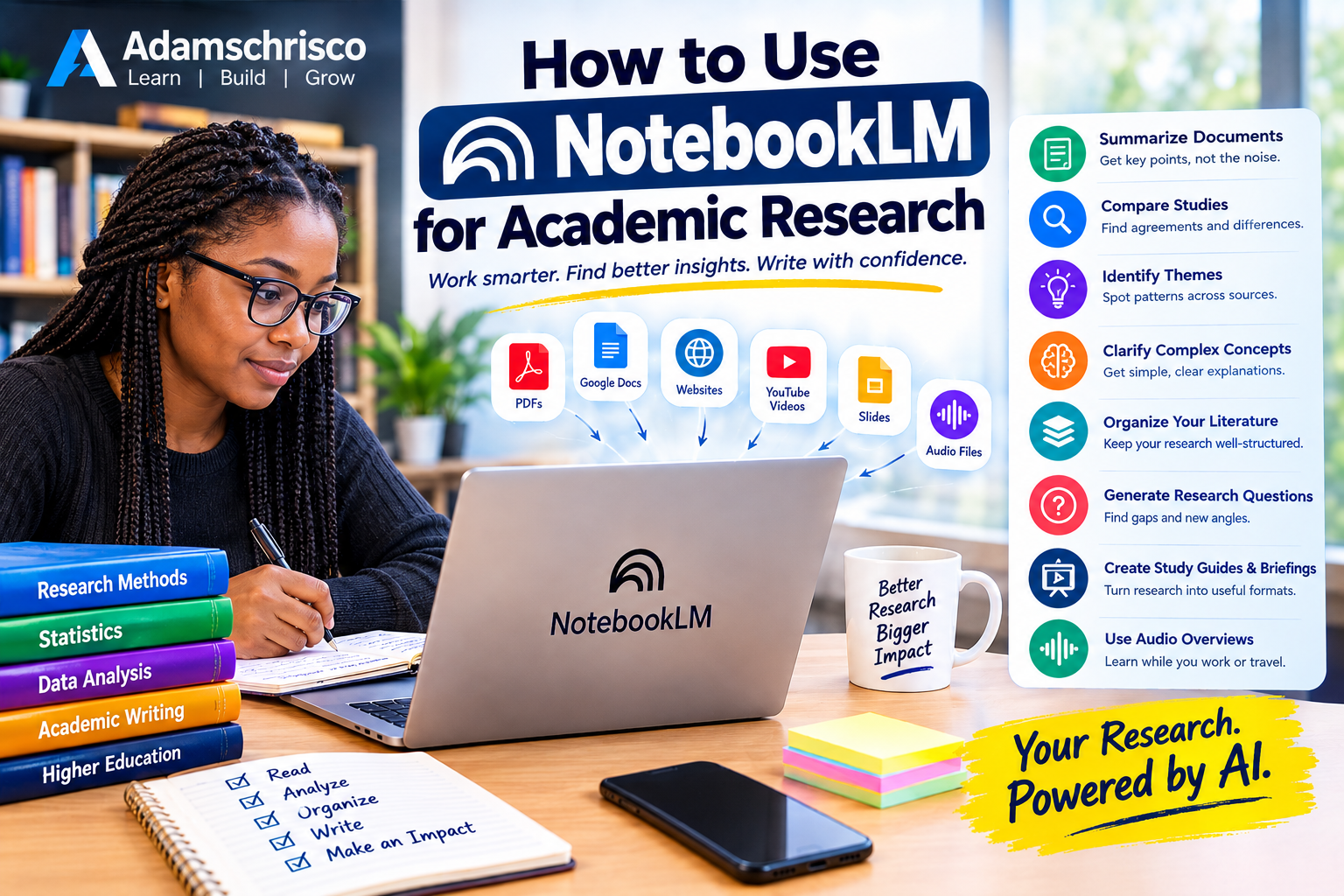
NotebookLM is a powerful AI research assistant that can help students, researchers, lecturers, and academics work more efficiently with large collections of research materials. By uploading sources such as research papers, PDFs, websites, Google Docs, presentations, and other supported materials, researchers can use NotebookLM to summarize documents, compare studies, identify key themes, clarify difficult concepts, organize literature, generate research questions, and prepare research briefs. One of its major advantages is its ability to provide answers grounded in the sources supplied by the researcher, making it particularly useful for literature reviews and evidence-based research. Researchers can also use features such as study guides, mind maps, FAQs, briefings, and Audio Overviews to understand and revisit complex materials in different formats. However, NotebookLM should be viewed as a research assistant, not a replacement for academic judgment. Researchers should verify important claims against the original publications, check citations and statistics, evaluate research methodology carefully, and follow institutional policies on artificial intelligence and academic integrity. Used responsibly, NotebookLM can reduce the time spent reading, organizing, comparing, and revising research materials, allowing academics to spend more time on critical thinking, analysis, writing, and discovery.
Academic research can be overwhelming.
A single research project may require you to read dozens of journal articles, compare methodologies, identify research gaps, organize references, understand complicated theories, extract findings and eventually turn everything into a coherent research document.
For postgraduate students and researchers, the problem is often not a lack of information.
There is simply too much information.
This is where NotebookLM can become a powerful research assistant.
Google's current documentation describes NotebookLM—now also appearing in Google's documentation as Gemini Notebook—as an AI-powered research assistant designed to help users organize and understand information from their selected sources. It can work with sources such as PDFs, websites, YouTube videos, audio files, Google Docs and Google Slides, and it can answer questions based on those sources with inline citations.
The important idea is this:
Instead of asking AI to tell you what it knows about your research topic, you can give AI your research materials and ask it to help you understand what those materials say.
That makes NotebookLM particularly interesting for academic research.
What Is NotebookLM?
NotebookLM is an AI-powered tool built around your selected sources.
You create a notebook for a particular subject or project and add relevant materials.
For example, if your research topic is:
"The Impact of Artificial Intelligence on Teaching Effectiveness in Nigerian Universities"
you might collect:
• Journal articles
• Conference papers
• Government reports
• University policy documents
• Research reports
• PDFs
• Relevant websites
• Your own research notes
You can then use NotebookLM to interact with those materials.
Rather than treating the entire internet as your source of information, the notebook becomes a workspace centered around the materials you have selected.
Google says NotebookLM can provide answers grounded in the sources in your notebook and display inline citations, which can make it easier to trace an answer back to the underlying material.
Why Is NotebookLM Useful for Academic Research?
Researchers often spend enormous amounts of time doing activities such as:
• Reading
• Summarizing
• Comparing papers
• Extracting findings
• Identifying themes
• Organizing notes
• Preparing literature reviews
• Developing research questions
• Understanding unfamiliar concepts
• Preparing presentations
NotebookLM can assist with many of these activities.
It does not replace the researcher.
Instead, it can help reduce the amount of time spent performing repetitive information-processing tasks.
Think of it as:
Your research materials + AI assistance + organized questions
NotebookLM Is Not a Replacement for the Researcher
This is perhaps the most important point in this article.
NotebookLM can help you understand and organize your research materials.
But you remain the researcher.
You are responsible for:
• Choosing appropriate sources
• Evaluating source quality
• Understanding the methodology
• Checking evidence
• Interpreting findings
• Making scholarly arguments
• Citing sources correctly
• Drawing conclusions
• Taking responsibility for the final work
AI can make research faster.
It does not automatically make research correct.
Step 1: Define Your Research Question
Before opening NotebookLM, define what you are investigating.
For example:
Research topic:
Artificial intelligence adoption among university lecturers.
But that is still broad.
You might refine it to:
Research question:
What factors influence the adoption of artificial intelligence tools among university lecturers?
Now you have a much clearer research direction.
This matters because the quality of your AI-assisted research will depend heavily on the quality of the questions you ask.
Step 2: Gather Your Research Sources
Collect the materials relevant to your research question.
These could include:
Journal articles
Research papers from reputable academic databases and journals.
Conference papers
Useful for emerging research areas.
Government reports
Particularly useful for policy-related research.
Institutional reports
University, NGO or industry reports can provide contextual information.
Theses and dissertations
These can provide detailed literature reviews and methodological examples.
Websites
Useful when the website is authoritative and relevant.
Your own documents
You can also organize your own research materials where appropriate.
NotebookLM currently supports a range of source types including PDFs, websites, YouTube videos, audio files, Google Docs and Google Slides.
Step 3: Create a Notebook for Your Research Project
Create a notebook specifically for your research topic.
For example:
Notebook title:
AI Adoption Among University Lecturers in Nigeria
Then organize the relevant sources around that research project.
You might eventually have another notebook for:
Literature Review
and another for:
Research Methodology
or:
Data Analysis and Interpretation
The exact structure depends on your research workflow.
Step 4: Start with Source Summaries
Once your sources are available, don't immediately ask complicated questions.
Start simple.
For example:
"Summarize each source in 200 words, focusing on the research problem, methodology, major findings and limitations."
This gives you a structured starting point.
You can also ask:
"Create a table comparing the research objectives, sample size, methodology and major findings across these studies."
This can save considerable time when dealing with many papers.
Step 5: Compare Research Papers
One of the most useful applications is comparing studies.
Suppose you have 15 papers about AI adoption.
Ask:
"Compare these studies according to theoretical framework, methodology, population, sample size, variables and major findings."
You could then request:
"Identify areas where the findings agree."
Then:
"Identify areas where the findings disagree."
Then:
"Identify possible explanations for these differences based only on the information in the sources."
This can help you see patterns that may be difficult to identify when reading papers independently.
Step 6: Identify Research Themes
Suppose you have collected 30 papers.
Ask:
"Identify the major themes appearing across these studies."
You might discover themes such as:
• Technology acceptance
• Digital literacy
• Institutional support
• Infrastructure
• Cost
• Training
• Privacy
• Ethical concerns
• Perceived usefulness
• Resistance to change
You can then investigate each theme separately.
Step 7: Use NotebookLM to Explore the Literature Gap
One of the most important activities in postgraduate research is identifying a research gap.
You can ask questions such as:
"Based on these studies, what areas have received limited attention?"
Or:
"Which populations have been studied most frequently?"
Then:
"Which populations appear to be underrepresented?"
You can also ask:
"What methodological limitations are repeatedly identified in these studies?"
This does not mean the AI has discovered your research gap for you.
Rather, it helps you organize the evidence you need to evaluate the gap yourself.
Step 8: Develop Better Research Questions
Once you understand the literature, you can use NotebookLM to brainstorm possible research questions.
For example:
"Based on the sources in this notebook, suggest 10 research questions that address areas not adequately covered in the literature."
Then critically evaluate the suggestions.
Ask:
"Which of these questions are most directly supported by the literature?"
And:
"What evidence from the sources supports each proposed research question?"
This turns AI into a brainstorming partner rather than an authority.
Step 9: Build a Literature Review Structure
A common problem among postgraduate students is knowing how to organize the literature review.
Instead of writing:
Paper 1 says this.
Paper 2 says this.
Paper 3 says this.
You want to develop a synthesis.
For example:
Theme 1: Perceived usefulness
Discuss several studies together.
Theme 2: Digital competence
Compare studies that address digital skills.
Theme 3: Institutional support
Discuss organizational factors.
Theme 4: Ethical concerns
Compare different perspectives.
Then identify:
What is known?
What remains uncertain?
What has not been adequately investigated?
NotebookLM can help you organize the material needed for this process.
Step 10: Ask for Evidence, Not Just Conclusions
This is one of the most important research habits.
Don't simply ask:
"What does the literature say?"
Ask:
"What evidence in the sources supports this conclusion?"
You can also ask:
"Which sources support this claim?"
and:
"Show me the relevant passages or citations."
NotebookLM's source-grounded responses and inline citations can make this process easier.
However, you should still open and inspect the original source before using a quotation, statistic or specific claim in your academic work.
Step 11: Use It to Understand Difficult Papers
Some research papers are difficult to understand.
You may encounter:
• Complex statistical terminology
• Mathematical models
• Technical methodologies
• Specialized theories
• Unfamiliar concepts
Ask NotebookLM:
"Explain the methodology in this paper in simple language."
Then:
"Explain it at postgraduate level."
Then:
"What are the strengths and limitations of this methodology?"
You can progressively deepen your understanding.
Step 12: Use It for Methodology Preparation
Suppose your study uses a survey.
You could ask:
"Based on these studies, what sampling methods have researchers used?"
Then:
"Compare the advantages and limitations of these sampling approaches."
You might also ask:
"What variables have previous researchers measured?"
or:
"What statistical methods have been used to analyze these variables?"
This can help you understand how previous studies approached similar problems.
But methodological decisions should ultimately be based on sound research design principles and, where necessary, guidance from your supervisor or methodological expert.
Step 13: Ask Questions Across Multiple Sources
This is where NotebookLM becomes particularly useful.
Suppose you have 20 research papers.
Instead of reading each paper separately and trying to remember everything, you can ask:
"Across all the sources, what are the three most commonly reported factors affecting AI adoption?"
Then:
"Which studies disagree with this finding?"
Then:
"Why might the findings differ?"
You are effectively turning a collection of papers into an interactive research knowledge base.
Step 14: Generate Study Guides
NotebookLM can transform source material into accessible formats such as study guides and briefings.
For students, this can be extremely useful.
Suppose you have 10 papers for an examination.
You could ask for:
"Create a study guide covering the major concepts, definitions, theories and findings in these sources."
You can then use the guide as a starting point for revision.
Step 15: Generate Questions for Yourself
You can use AI to test your understanding.
For example:
"Create 20 postgraduate-level questions based only on these research papers."
Then:
"Do not provide the answers."
Attempt the questions yourself.
Afterwards, ask for explanations and compare your answers with the source material.
This transforms passive reading into active learning.
Step 16: Use Audio Overviews
One particularly interesting feature is the ability to turn notebook material into Audio Overviews.
Google's current documentation describes Audio Overviews as AI-generated discussions based on the sources in a notebook. Users can choose formats such as a deeper discussion, a brief overview, critique or debate, depending on the available interface and account.
Imagine you have just uploaded:
• 15 journal papers
• A policy report
• Your research notes
You can generate an audio discussion of the material and listen while:
• Driving
• Walking
• Exercising
• Commuting
• Doing routine tasks
This can turn otherwise idle time into additional learning time.
But remember that Google explicitly warns that AI-generated Audio Overviews can contain inaccuracies or audio glitches.
Therefore, audio should supplement—not replace—your reading of the original sources.
Step 17: Use AI to Prepare for a Research Presentation
Suppose you are presenting your literature review at a seminar.
Ask:
"Based on these sources, identify the five most important points I should explain in a 10-minute presentation."
Then:
"Create a presentation structure with introduction, problem, evidence, research gap and conclusion."
You can also ask:
"Generate five difficult questions that an academic audience might ask about this research."
Now you can prepare for the discussion before the seminar.
Step 18: Create a Research Brief
Another useful application is creating a concise research brief.
For example:
"Create a two-page research briefing from these sources. Include the problem, major evidence, areas of agreement, areas of disagreement, research gaps and implications."
This can be useful before:
• Meetings with supervisors
• Proposal defenses
• Seminars
• Grant discussions
• Research team meetings
Step 19: Use NotebookLM for Collaborative Research
Research teams can also benefit from a shared knowledge base.
Imagine a research team working on:
AI for disease surveillance in Africa
The team could organize:
• Research papers
• Reports
• Project documents
• Meeting materials
• Technical documents
The notebook can then serve as a common reference point.
For enterprise use, Google describes NotebookLM Enterprise as allowing teams to build organized collections of curated documents and interact with those sources through grounded Q&A and generated artifacts.
Step 20: Use NotebookLM to Turn Research into Learning Materials
Lecturers can use research materials to develop:
• Lecture notes
• Study guides
• Discussion questions
• Revision questions
• Briefings
• Audio learning materials
• Concept maps
• Presentations
For example, a lecturer could provide several papers on machine learning and ask:
"Create a student-friendly study guide explaining the major concepts in these papers."
Then:
"Create 15 examination questions based on the material."
This can significantly reduce preparation time.
10 Powerful NotebookLM Prompts for Researchers
Here are prompts you can copy and adapt.
Prompt 1 — Summary
"Summarize each source, focusing on the research problem, objectives, methodology, findings and limitations."
Prompt 2 — Comparison
"Create a comparison table showing the authors, year, population, sample size, methodology, variables and major findings."
Prompt 3 — Themes
"Identify the major themes that appear across these sources and group the studies under each theme."
Prompt 4 — Agreement
"Which findings are consistent across the sources? Provide the supporting sources."
Prompt 5 — Disagreement
"Which studies report findings that differ from the majority? Explain the differences using evidence from the sources."
Prompt 6 — Research Gap
"Identify areas that appear insufficiently studied in these sources. Distinguish clearly between evidence-supported gaps and possible areas for further investigation."
Prompt 7 — Methodology
"Compare the research methodologies used in these studies and explain their strengths and limitations."
Prompt 8 — Conceptual Framework
"Identify the major variables and relationships discussed across these sources and suggest possible ways they could be organized into a conceptual framework."
Prompt 9 — Presentation
"Create a 10-minute academic presentation outline based only on the sources in this notebook."
Prompt 10 — Critical Review
"Critically compare these studies. Identify strengths, weaknesses, methodological limitations, contradictions and areas requiring further research."
NotebookLM vs. Traditional Literature Review
NotebookLM does not eliminate the literature review.
Instead, it can change how you perform the early stages of the literature-review process.
Traditional approach
Find paper
↓
Read paper
↓
Take notes
↓
Find another paper
↓
Compare notes
↓
Try to remember connections
↓
Write synthesis
AI-assisted approach
Find quality sources
↓
Organize sources
↓
Ask targeted questions
↓
Compare evidence
↓
Identify themes
↓
Investigate gaps
↓
Return to original papers
↓
Develop your scholarly synthesis
The second approach can be faster.
But the researcher still has to perform the intellectual work.
What NotebookLM Should NOT Do for You
There are some things you should never outsource completely.
1. Don't outsource your thinking
A literature review is not merely a summary.
It requires analysis and synthesis.
2. Don't blindly accept AI-generated claims
AI can make mistakes.
Verify important statements against the original sources.
3. Don't assume every citation is correct
Always check:
• Author
• Year
• Title
• Journal
• Volume
• Pages
• DOI
• Actual content
4. Don't fabricate evidence
Never use AI-generated material as if it came from a research paper when it does not.
5. Don't ignore research ethics
Protect confidential research data and follow your institution's policies concerning AI use.
A Simple NotebookLM Workflow for a PhD Student
Here is a practical workflow.
Stage 1 — Define
Write your:
Topic → Problem → Research questions
↓
Stage 2 — Collect
Gather:
Journal papers → Reports → Theses → Policy documents
↓
Stage 3 — Organize
Create a notebook around your research project.
↓
Stage 4 — Understand
Ask AI to help summarize and explain the sources.
↓
Stage 5 — Compare
Compare:
Methods → Variables → Findings → Limitations
↓
Stage 6 — Synthesize
Identify:
Themes → Agreements → Contradictions → Gaps
↓
Stage 7 — Critique
Return to the original sources and critically evaluate the evidence.
↓
Stage 8 — Write
Develop your own scholarly argument.
↓
Stage 9 — Verify
Check every important claim against the original source.
↓
Stage 10 — Present
Turn the research into:
Proposal → Seminar → Thesis → Journal paper → Presentation
The Most Important Skill: Asking Better Questions
NotebookLM is powerful, but the quality of your results depends heavily on the questions you ask.
Compare:
Weak question
"Tell me about these papers."
with:
Better question
"Compare these papers according to research objective, study population, methodology, sample size, variables, statistical techniques and major findings. Identify areas of agreement and disagreement and cite the relevant sources."
The second question gives the AI a much clearer research task.
Better questions produce more useful research assistance.
NotebookLM and Academic Integrity
AI-assisted research must be handled responsibly.
Different universities, departments, journals and supervisors may have different policies regarding generative AI.
Before using AI in a thesis, dissertation, assignment or publication, check the applicable rules.
You should also be transparent where disclosure is required.
Most importantly:
Your academic work should represent your own intellectual contribution.
AI can help you process information.
It should not become a substitute for scholarship.
NotebookLM Is a Research Accelerator
The biggest benefit of NotebookLM is not that it "does your research."
It doesn't.
Its value is that it can help you move faster through some of the information-heavy stages of research.
Instead of spending hours asking:
"Where did I read that?"
you can interact with an organized collection of sources.
Instead of manually comparing 20 papers, you can ask structured comparative questions.
Instead of repeatedly explaining a difficult paper to yourself, you can ask for explanations at different levels.
Instead of simply reading passively, you can generate questions, study guides and other learning materials.
That is the real opportunity.
Final Thoughts
Academic research is becoming increasingly information-intensive.
The researcher of the future will need more than the ability to find papers.
Researchers will need to know how to:
• Find reliable information
• Organize information
• Evaluate evidence
• Compare studies
• Identify patterns
• Question assumptions
• Use AI responsibly
• Communicate findings effectively
NotebookLM can become one useful component of that research workflow.
But remember the fundamental principle:
Let AI help you process information faster, but let human scholarship determine what the information means.
Use NotebookLM to read smarter, question better, compare faster and organize your research more effectively.
Then return to the original sources, think critically and develop your own scholarly contribution.
That is where genuine research value lies.
Take Your AI Research Skills Further
Artificial intelligence is transforming not only research but also education, writing, programming, healthcare, business and professional work.
At Adamschrisco, we explore practical applications of AI, machine learning, data science and digital technology.
If you are interested in taking your AI knowledge beyond research tools, explore our practical books and resources—including materials focused on AI in education, machine learning, Python, creativity, productivity and the future of AI.
For educators and researchers particularly interested in AI's role in education, Building Smart Classrooms: How Artificial Intelligence is Shaping the Future of Teaching provides a natural next step.
For readers interested in practical machine learning, From Theory to Practice: 100 Days of Hands-On Machine Learning Projects for Real Industries offers a project-oriented pathway.
And if your interest is broader AI productivity, AI Mind Coach: Unlock Productivity, Build Smart Habits & Crush Goals with Artificial Intelligence Tools connects AI with practical personal productivity.
Don't just read about artificial intelligence. Learn how to use it intelligently.
Learn. Build. Grow.
Back to Blog
Comments
Be the first to comment.